Help support me and my site | Buy Me A Coffee

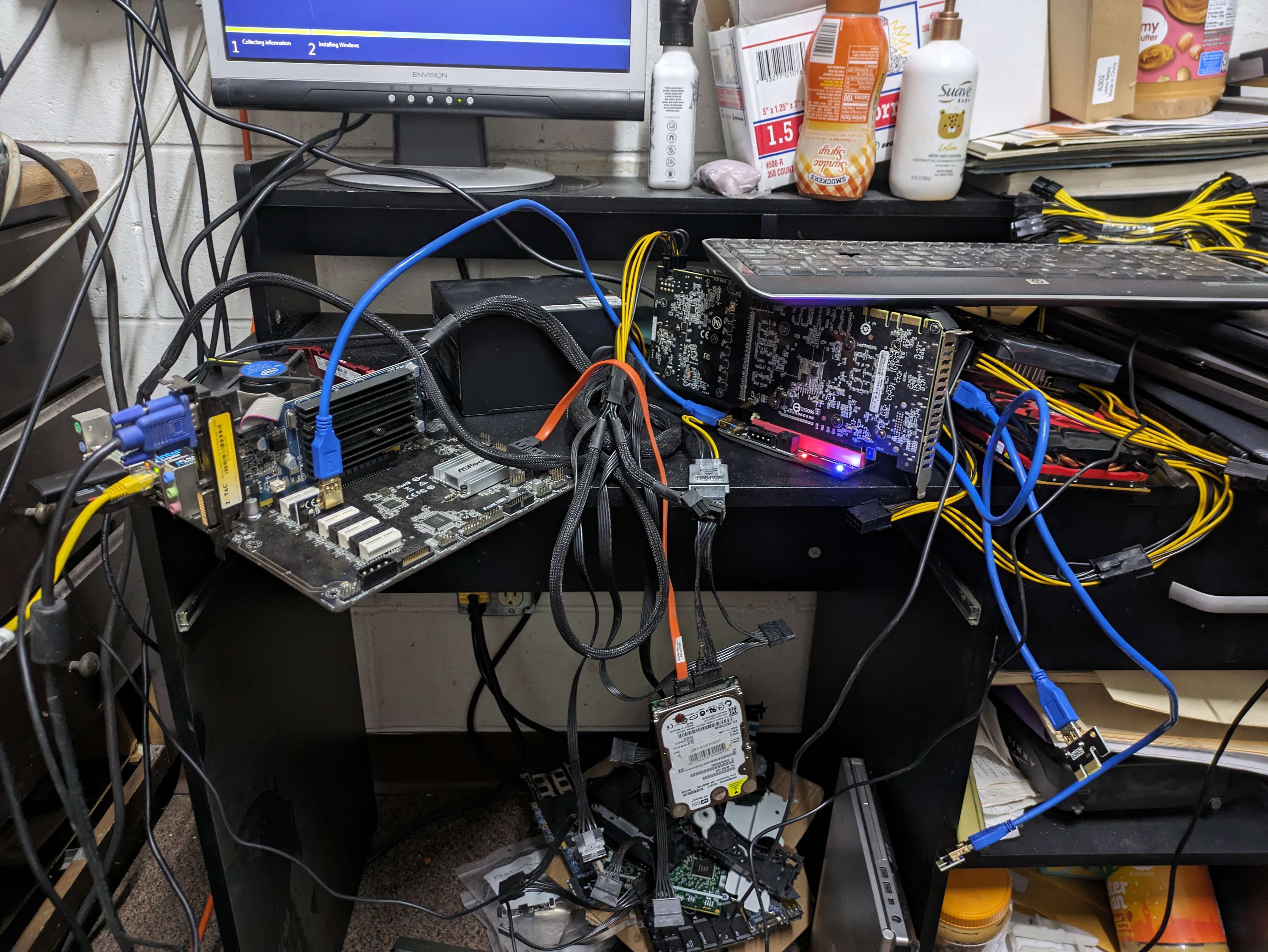
HINT: More coffee I drink more time I have for this site.The FrankenLynx
I am a tight wade, I always try to save a dollar when ever I can but I
always like to playaround and get things to work then most people say I
can't or even why?
Specs (See also
Hashcat Benchmarks)
CPU - Intel(R) Celeron(R) CPU G3930 @ 2.90GHz, 1993/4051 MB (506 MB
allocatable), 2MCU
Motherboard - ASRock H110 Pro BTC
RAM -
Making this machine the biggest issue was finding all the files for
hashcat to work right, and drivers to play nice, I decided to put
together all the files; the Visual Studio was some of the hardest to get
working right so I made my self some notes if i ever had to reinstall
this machine and a how to and notes.
I downloaded th Cuda drivers from Nvida installed them and a Visual
Studio error (bypassed it) it installed and seams like it worked just
fine, little did I know it was not the case. Fired up hashcat
cuLinkCreate(): PTX JIT compiler library not found
* Device #1: Kernel ./OpenCL/shared.cl link failed. Error Log:
error : Unable to load library 'nvptxJitCompiler.dll'
* Device #1: Kernel ./OpenCL/shared.cl build failed.
nvmlInit(): Not Found
NvAPI_EnumPhysicalGPUs(): NVAPI_NVIDIA_DEVICE_NOT_FOUND
Lots of errors, GPU list
NVIDIA GeForce 8400 GS - Display Card
Nvidia GeForce GTX 460 Driver for Alienware - Aurora-R3 from a dell
391.35-desktop-win10-64bit-international-whql.exe
UNRar it and go to device manager, and install driver manually
Intel® Arc™ A380 Graphics (Failed)
gfx_win_101.5534.exe
UNRar it and go to device manager, and install driver manually
Well Intel GPUs suck, Intel Arc A380 Exit Code 8 | Looks like it
does not support the CPU, I guess the CPU has to be a series for the GPU
to even install, lovely.
https://community.intel.com/t5/Graphics/Installer-exit-code-8/td-p/1474234
https://community.intel.com/t5/Graphics/Driver-31-0-101-2121-gt-Error-8-gt-Something-went-wrong-while/m-p/1473839/emcs_t/S2h8ZW1haWx8Ym9hcmRfc3Vic2NyaXB0aW9ufExHNkdPV1dONFpZSTdWfDE0NzQxODV8U1VCU0NSSVBUSU9OU3xoSw#M116053
Intel Celeron version of the drivers
gfx_win_101.2115.exe
Gigabyte Nvidia P104-100 8GB Mining
GPU, a zip tie special from eBay
After a day of messing with it, I gave up, I did a fresh install of
Windows 10
Install in this order:
WinRAR
Microsoft .NET Framework 4.8 - ndp48-x86-x64-allos-enu.exe
Visual C++ Redistributable for Visual Studio 2017 (x64) - VC_redist.x64
- 14.11.25325.exe
Visual C++ Redistributable for Visual Studio 2019 - VC_redist.x64 -
16.11.exe
Visual C++ Redistributable for Visual Studio 2022 - VC_redist.x64 -
14.40-33810.exe
VisualStudioSetup_2022.exe
opencl_runtime_16.1.2_x64_setup.msi
then cuda_12.5.0_555.85_windows.exe
clinfo -l
Update 2024.06.09
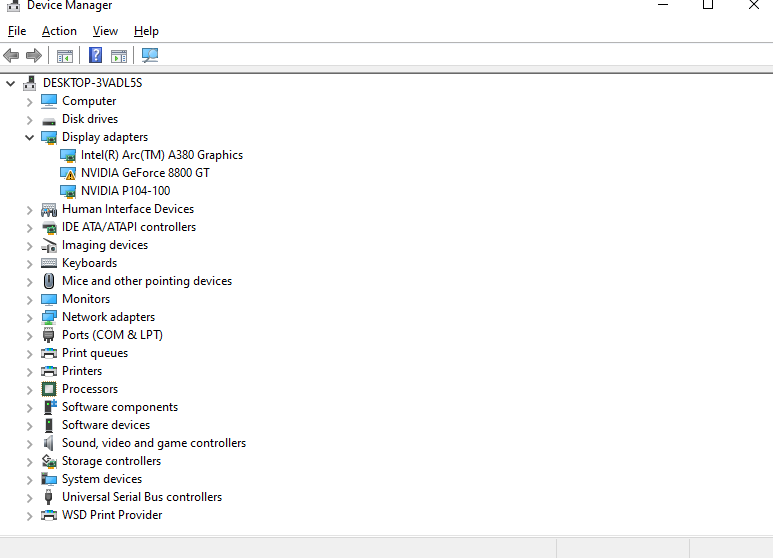
I got the Gigabyte Nvidia P104-100 8GB Mining
GPU & Intel® Arc™ A380 Graphics to play nice together as
soon as i add any other Nvidia card into the mix it has a fit, don't
know why trying to find a solution,
|